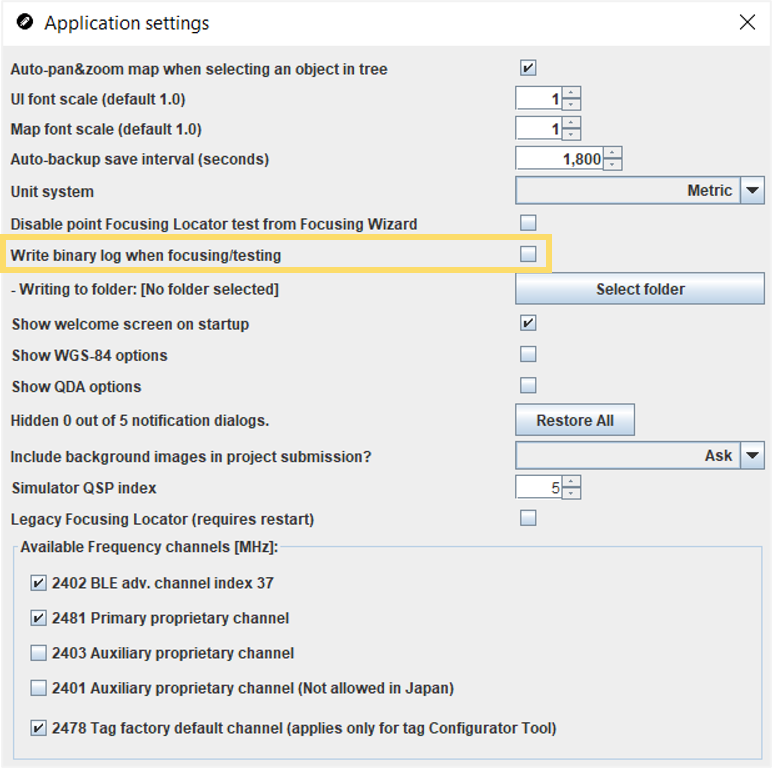
The QSP application settings allow you to choose whether to record binary logs when
focusing and where to save the recorded binary logs. Binary logs are used to
troubleshoot problems. By default, the QSP does not record binary logs for the
focusing and testing phases.
-
Open the QSP.
-
In the menu bar at the top, select the Settings menu and
select Application Settings. The Application Settings
window will open.
-
To turn the enable the recording of binary logs, click on the Write
binary log when focusing/testing checkbox.
-
The system will ask you to select where to save the binary logs.
Note: If you need to change the location of where these binary logs will be
saved later, you can use the Writing to folder
settings Select Folder button.
-
The system will now automatically record binary logs for focusing and testing
the system. In case of problems, you can send these logs to be assessed by
Quuppa for troubleshooting.
Note: If the system receives 0 packets, it will not record binary logs.