
Edit Auto-Backup Settings
Important:
Changing the setting to 0 will disable the auto-save
feature.
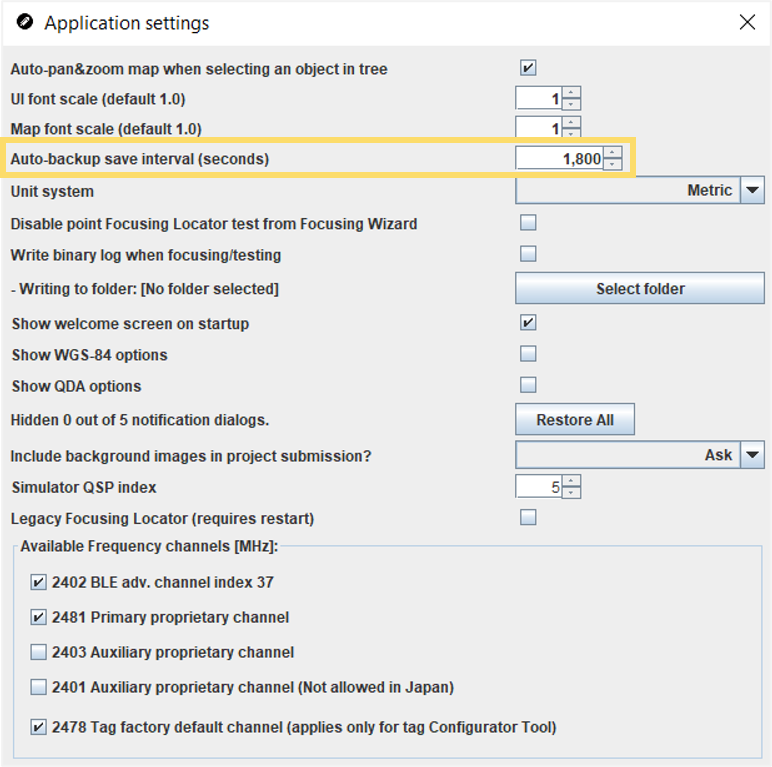
You can change this interval through the application settings by following the steps below.
-
Edit the number for the Auto-backup save interval
(seconds) setting as needed (e.g. 900 seconds for auto-save every
15 minutes).
 Tip:When actively making changes to your project plan in the QSP, we recommend that you also regularly save the project manually.