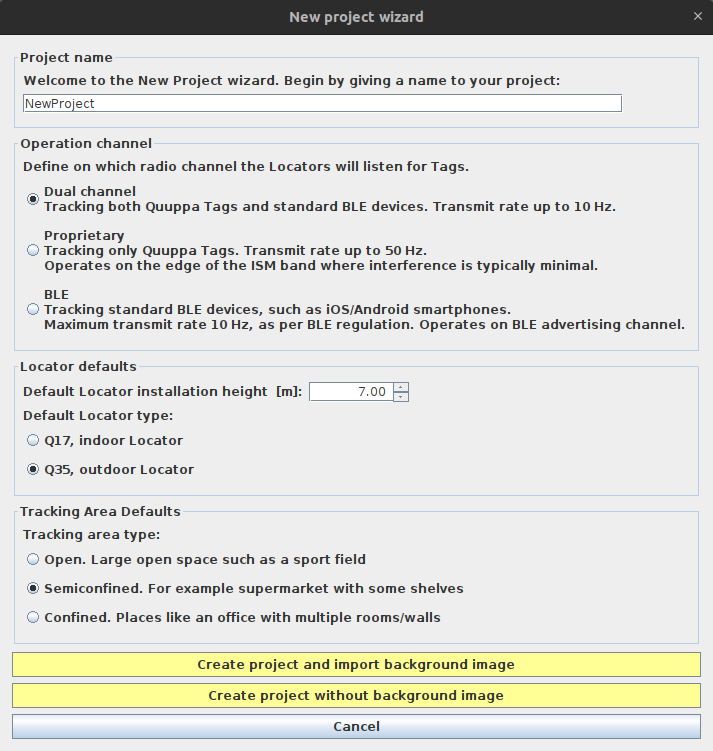
New Project Wizard
The New Project Wizard is used to create new projects in the QSP. It can be accessed either by clicking the Start new project wizards button in the startup dialog box when you start the QSP or by opening the Project menu in the menu bar at the top of the QSP and select New... from the sub menu.
The New Project Wizard window is divided into five main sections that allow you to edit the default settings for your project. The set defaults can be adjusted later if needed, both on a project level and for individual project objects.